Small businesses are no longer flying under the radar. In 2026, attackers increasingly target companies with limited security budgets and fewer dedicated IT staff. The reason is simple: these businesses often hold valuable data — customer information, payment details, intellectual property — while having weaker defenses than large corporations.
A single successful attack can disrupt operations, damage reputation, and create costly recovery work. The good news is that effective protection does not require an enterprise-level security team. It requires the right priorities, consistent habits, and a realistic set of tools.
Why Small Businesses Are Attractive Targets
Attackers look for the path of least resistance. Large companies invest heavily in security operations centers, threat detection, and response teams. Many small businesses still rely on basic antivirus software and hope.
Common weak points include:
- Outdated software and unpatched systems
- Employees who have not received practical security training
- Weak or reused passwords
- Limited visibility into what is happening on the network
- Reliance on a single person (or no one) for IT and security decisions
When attackers can automate scans for known vulnerabilities or craft convincing phishing emails, smaller organizations become efficient targets.
The Most Common Attack Vectors in 2026
Understanding how attacks typically arrive helps you focus your defenses.
Phishing and social engineering
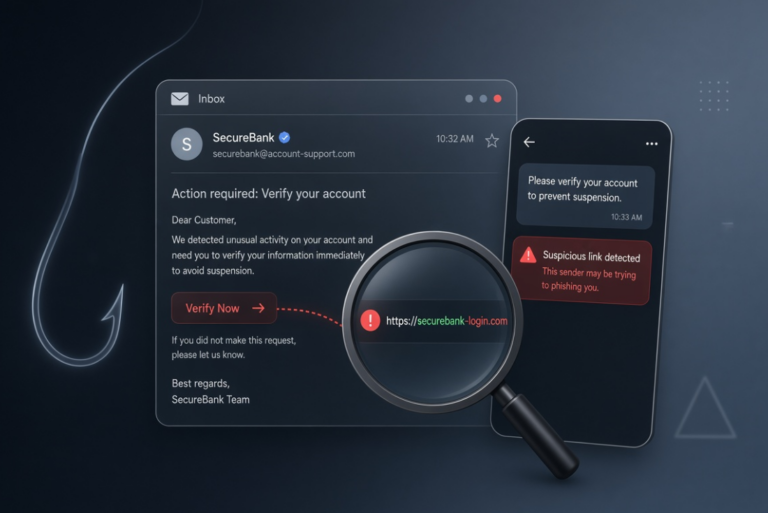
This remains the most frequent entry point. Employees receive emails, messages, or even voice calls that appear legitimate and urge them to click a link, open an attachment, or share credentials. Modern phishing is more sophisticated, often using real company branding and context stolen from public sources or previous breaches.
Ransomware
Once inside a system, attackers encrypt files and demand payment. In many cases they also steal data first and threaten to publish it. Small businesses with incomplete backups are especially vulnerable.
Compromised credentials
Stolen or guessed passwords still open many doors. Credential stuffing attacks (using passwords leaked from other breaches) and weak password practices make this a persistent problem.
Unpatched software and exposed services
Outdated applications, remote access tools, and internet-facing services with known vulnerabilities give attackers a direct technical path into the network.
Supply chain and third-party risk
Tools and services your business depends on can become the weak link. A compromise at a software vendor or cloud provider can affect many of their customers at once.
Building a Practical Security Stack
You do not need every enterprise tool on the market. Focus on layers that address the most common risks.
Endpoint protection
Modern endpoint detection and response (EDR) tools go beyond traditional antivirus. They monitor behavior, detect suspicious activity, and can isolate compromised devices. Choose a solution that is manageable without a full-time security team.
Strong authentication
Enable multi-factor authentication (MFA) on every account that supports it — email, cloud storage, banking, accounting software, and remote access tools. Authenticator apps or hardware keys are preferable to SMS codes.
Password management
Require the use of a business password manager. This makes unique, strong passwords practical and reduces the temptation to reuse credentials across systems.
Regular updates and patching
Establish a simple process for keeping operating systems, applications, and firmware current. Automatic updates where possible, combined with a monthly review of critical systems, closes many common entry points.
Secure remote access
If employees work from home or on the road, avoid exposing remote desktop services directly to the internet. Use a VPN or zero-trust network access solution, and require MFA for all remote connections.
Reliable backups
Follow the 3-2-1 rule: at least three copies of important data, on two different types of media, with one copy offline or immutable. Test restores periodically so you know the backups actually work.
Email and web protection
Tools that filter phishing attempts, block malicious links, and scan attachments reduce the volume of threats that reach employees. Browser isolation or secure web gateways add another layer for higher-risk browsing.
Employee Training That Actually Changes Behavior
Most security tools fail if people treat them as optional or inconvenient. Training works best when it is short, relevant, and repeated.
Focus on practical scenarios instead of long theoretical sessions:
- How to recognize current phishing tactics
- What to do when something feels suspicious
- Why MFA and password managers matter in daily work
- How to report potential incidents quickly
Run simulated phishing exercises a few times a year. The goal is not to punish people who click, but to create learning moments and measure improvement over time. Keep the tone supportive rather than accusatory.
Make security part of onboarding for new hires and revisit key topics quarterly. Short videos or quick reference guides often work better than lengthy presentations.
Creating a Simple Incident Response Plan
Even strong defenses can be breached. Having a clear plan reduces panic and shortens recovery time.
Your plan should answer a few basic questions:
- Who is the first point of contact when something looks wrong?
- How do you isolate affected systems to limit damage?
- When and how do you communicate with employees, customers, or partners?
- What are the steps to restore from backups?
- Which external experts or services will you call if needed (IT support, legal, cyber insurance provider)?
Document the plan in plain language and store it where key people can access it even if primary systems are unavailable. Review and update it at least once a year or after any significant change in tools or staff.
Test the plan with a short tabletop exercise: walk through a realistic scenario and note where the process is unclear or incomplete.
Daily and Weekly Habits That Reduce Risk
Technology alone is not enough. Consistent routines matter.
- Review account access periodically and remove permissions for people who no longer need them
- Monitor login alerts and unusual activity notifications
- Keep an inventory of devices and software so you know what needs protection
- Separate personal and business use on devices when possible
- Treat public Wi-Fi as untrusted and use a company VPN
These habits require little ongoing effort once they become part of normal operations, yet they close many of the gaps attackers exploit.
Protecting a small business in 2026 is less about buying the most expensive tools and more about covering the basics thoroughly and consistently. Focus on the attack paths that cause the most damage, give people clear guidance, and prepare for the possibility that something will still go wrong. That combination significantly reduces both the likelihood and the impact of a successful cyber attack.
About the Author