Cybersecurity for Remote Workers: Practical Tips That Actually Help
Working from home, a café, or a co-working space removes the traditional office perimeter. Your laptop, phone, and home network become the new front line. Attackers know this. They target remote workers with phishing that references company tools, try to exploit unpatched home routers, and look for accounts protected by nothing more than a reused password.
The good news is that a focused set of habits closes most of the realistic risks without turning your workday into a security project. The steps below prioritize the controls that deliver the highest return for individual remote workers in 2026: strong authentication, device hygiene, careful network use, and a healthy skepticism toward unexpected requests.
Treat Identity as Your Primary Perimeter
When you work remotely, the systems you reach often sit behind a login rather than a physical office network. That makes your credentials and second factors the most important layer of protection.
Use a unique, long password or passphrase for every work account and store them in a reputable password manager. Enable the strongest multi-factor authentication the service offers. Prefer passkeys or a hardware security key when available; authenticator apps are a solid middle ground. Avoid relying solely on SMS codes when better options exist.
Pay special attention to email, the company VPN or remote-access portal, cloud storage, and any administrative tools. These accounts are high-value targets because they often serve as gateways to everything else. Review recovery options periodically so an attacker cannot easily reset your access through an outdated phone number or secondary email.
Keep Devices Updated and Hardened
An unpatched laptop or phone is an open invitation. Enable automatic operating-system updates and allow applications to update promptly. Full-disk encryption should be turned on; modern Windows, macOS, and mobile systems make this straightforward. A strong device login PIN or biometric plus automatic screen lock after a short idle period adds practical protection if the device is lost or left unattended.
If you use a personal device for work (BYOD), keep work activity inside approved apps or a company container whenever possible. Avoid mixing highly sensitive files with personal downloads and random browser extensions. When the company provides a managed device, use it for work tasks rather than routing everything through a personal laptop.
Install and maintain a reputable security tool that includes malware protection and basic web filtering. Keep it current. These tools are not perfect, but they raise the bar against common commodity threats.
Use Networks Carefully
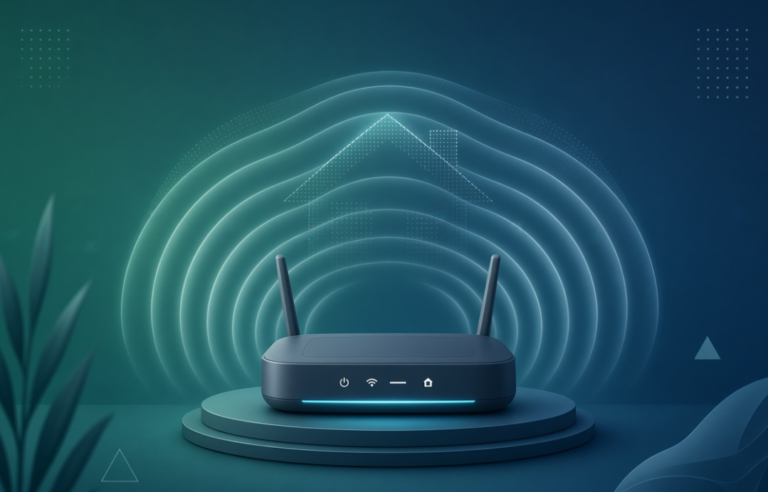
Home Wi-Fi deserves the same attention as the devices that connect to it. Change the router’s default administrator password, enable WPA3 (or WPA2/WPA3 transition mode), use a long unique Wi-Fi passphrase, and keep the router firmware updated. Place smart-home devices on a separate guest or IoT network so a compromised camera or plug has limited reach.
Public Wi-Fi should be treated as untrusted. Avoid logging into sensitive work systems on open café or airport networks. If you must connect, use your phone’s mobile hotspot or a company-approved VPN. Confirm that the VPN is active before opening email or internal tools. Even with a VPN, prefer HTTPS sites and remain cautious about the physical environment—shoulder surfing remains a real risk in shared spaces.
Recognize the Social Engineering Patterns That Target Remote Workers
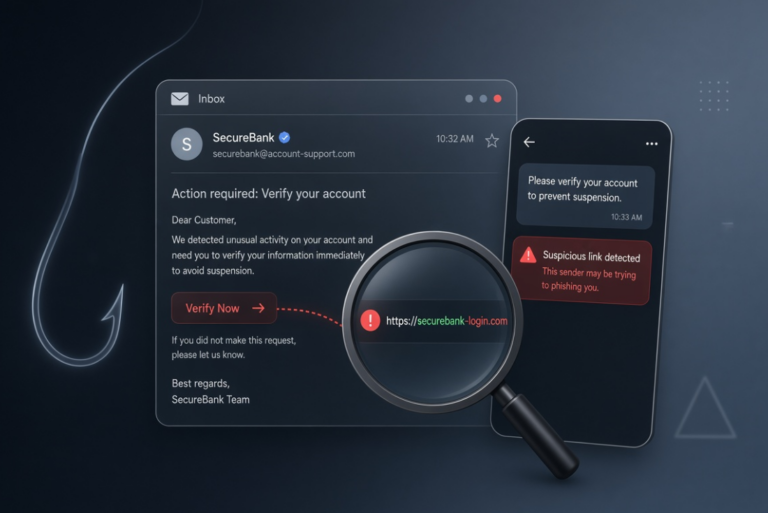
Remote employees are frequent targets for phishing and help-desk impersonation. Messages may claim an urgent need to re-authenticate, approve a login, or install remote-support software. Voice calls that impersonate IT support have become more common and more convincing with AI-assisted voice cloning.
The reliable response is the same as with any unexpected request: pause and verify through a separate, known channel. Do not approve multi-factor prompts you did not initiate. Do not share one-time codes with someone who contacts you first. If a message creates urgency around access or payments, contact the real person or department using contact details you already trust.
Short, realistic practice helps more than long annual training. When your organization runs phishing simulations, treat them as useful feedback rather than a gotcha exercise.
Separate Work and Personal Where Practical
Keep work accounts and personal accounts distinct. Do not reuse personal passwords for company systems. Avoid installing random browser extensions or software on a work device. When possible, use separate browser profiles or devices for work and personal activity so a compromised personal session is less likely to reach corporate data.
Be deliberate about what you store locally versus in approved cloud services. Sensitive files benefit from encryption and from living in systems that the company can manage and revoke if needed.
Physical and Situational Habits
Lock your screen every time you step away. Be mindful of who can see your display in shared spaces. When traveling, keep devices with you or use secure storage; a five-minute unattended laptop in a café is an easy target. If a device is lost or stolen, report it immediately so access can be revoked and, if the device is managed, remote wipe can be triggered.
What Good Looks Like in Practice
A practical daily baseline for most remote workers looks like this: unique passwords managed by a password manager, phishing-resistant multi-factor authentication on critical accounts, automatic updates enabled, disk encryption on, screen lock active, home router hardened, and a consistent habit of verifying unexpected requests. Add a company VPN or zero-trust access tool when required, and avoid sensitive work on open public networks.
These steps do not eliminate every risk, but they remove the easy wins that attackers still rely on. Most successful compromises of remote workers begin with a weak or reused credential, an unpatched system, or a moment of misplaced trust. Closing those gaps delivers more protection than chasing every new tool or headline threat.
About the Author